
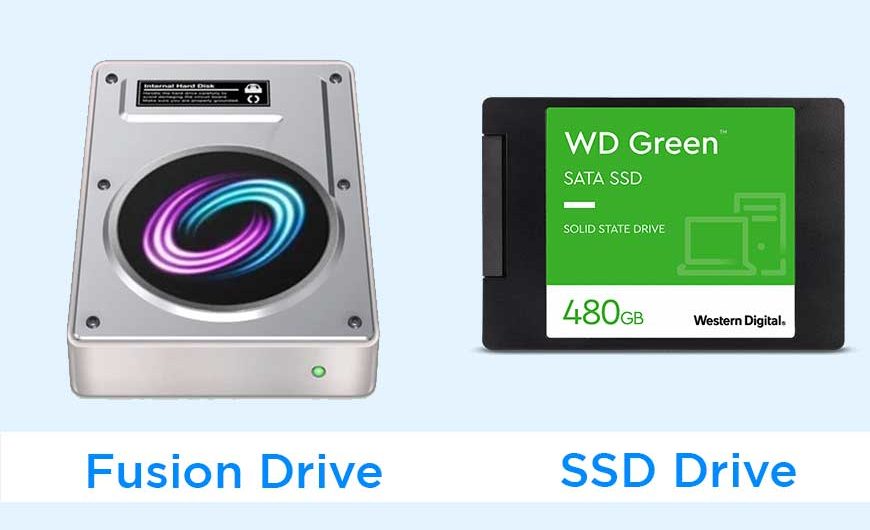
Quick answer: An SSD is the better choice. It is faster and has no moving parts. A Fusion Drive only made sense as a cheaper way to get lots of storage, and Apple no longer sells Macs with one. You will now mainly find it on older iMacs and Mac minis.
What Is a Fusion Drive?
A Fusion Drive is Apple’s name for a single drive made from two parts: a small amount of fast flash storage and a large, traditional hard disk. macOS treats them as one drive and keeps your most-used files and apps on the flash side, while everything else sits on the hard disk.

What Is an SSD?
An SSD (solid-state drive) stores all your data on flash memory. It has no spinning parts, so it reads and writes data much faster than a hard disk.
Fusion Drive vs SSD: Quick Comparison
| Feature | Fusion Drive | SSD |
|---|---|---|
| Build | Small flash storage + hard disk | All flash storage |
| Speed | Fast for frequently used files, slower for the rest | Consistently fast |
| Moving parts | Yes | No |
| Durability | More at risk from drops and wear | More resistant to knocks |
| Noise and heat | Some, from the hard disk | Silent, usually cooler |
| Sold on new Macs? | No | Yes |
Is a Fusion Drive Still Worth It?
For new buyers, no. Apple dropped the Fusion Drive when it retired the Intel iMacs in 2021, and it was never offered on Apple silicon Macs.
If you already own a Mac with one, it can still work well for everyday tasks. It only becomes an issue if your Mac feels slow, especially when working with large files.
Fusion Drive Pros and Cons
- Pro: a lot of storage at a lower price than an SSD of the same size.
- Pro: much faster than a plain hard disk for files you use often.
- Con: slower than an SSD, especially for writing large files.
- Con: it has moving parts that can fail.
- Con: it relies on two drives working together, so a fault in either can put your data at risk.
Should You Upgrade From Fusion Drive to SSD?
- Upgrade if your Mac is slow to start or open apps, and it’s still worth keeping.
- Try an external SSD if you want an easier upgrade without opening your iMac.
- Keep it if the speed still suits you.
Always back up your Mac before changing storage. Internal iMac upgrades are tricky, so use a qualified technician if you’re unsure. You can check current SSD prices here.
FAQs
Is a Fusion Drive faster than an SSD?
No. An SSD is faster overall. A Fusion Drive only comes close for files stored on its flash side.
Is a Fusion Drive better than a hard drive?
Yes. It’s noticeably quicker for your most-used apps and files, since those live on the flash storage.
Does Apple still make the Fusion Drive?
No. No current Mac offers one.
