
Bloggers and content writers put a lot of time and research into creating original content, so it hurts when someone copies it without credit. Duplicate content can also hold back your own rankings, even when it happens by accident on your own website.
A good duplicate content checker helps you find copied text quickly, whether someone has taken your work or your own pages repeat each other. Below are the best free and paid duplicate content checkers in 2026, plus how to check your content and fix any problems you find.
Best Duplicate Content Checkers at a Glance
| Tool | Free option | Best for |
|---|---|---|
| Copyscape | Free URL search | Finding copies of a web page |
| Duplichecker | Yes | Quick checks of pasted text |
| PlagSpotter | Free URL search | Monitoring your pages for copies |
| SmallSEOTools | Yes | Free plagiarism checks without sign-up |
| Plagiarism Detector | Yes | Unlimited quick checks |
| Siteliner | Free scan of up to 250 pages | Duplicate content inside your own site |
| Copyleaks | Limited free credits | Plagiarism and AI content detection |
| Viper (ScanMyEssay) | Pay-as-you-go | Essays and documents |
| Grammarly | Paid | Writers who also want grammar checks |
| PlagiarismCheck.org | Paid | Educators and institutions |
| Quetext | Limited free checks | Detailed similarity reports |
What Is Duplicate Content?
Duplicate content is text that appears in more than one place, either on other websites (external duplicates) or on several pages of your own site (internal duplicates).
- External duplicate content: another website has copied your article, or you have published text that already exists elsewhere.
- Internal duplicate content: the same content appears at several URLs on your site, for example product pages with near-identical descriptions, printer-friendly pages, or the same page with and without “www”.
Copying someone else’s words or ideas without credit is called plagiarism. Beyond being unfair to the original author, it can damage your reputation and your search rankings.
Does Duplicate Content Hurt SEO?
Google does not usually penalise a site just for having duplicate content. But when several pages carry the same text, Google picks one version to show and filters out the others. That can mean the wrong page ranks, your ranking signals get split across copies, or a site that copied you outranks your original. Deliberately copying large amounts of content from other sites can lead to manual action. That is why it is worth checking regularly.
Best Free Duplicate Content Checkers
1. Copyscape
Copyscape is one of the best-known tools for finding copies of your web pages. Enter a URL and it lists other pages that contain the same text. The free search is ideal for spot checks; the paid Premium version lets you check unpublished text and run batch searches.
2. Duplichecker
Duplichecker lets you paste text or upload a file and searches the internet for the same words, phrases and paragraphs. It shows the matching URLs so you can see exactly where content has been copied.
3. PlagSpotter
PlagSpotter checks a web page by URL and lists sites that repost your content, with the matching sentences highlighted. Paid plans add regular monitoring, so you are alerted when new copies appear.
4. SmallSEOTools
SmallSEOTools offers one of the most popular free plagiarism checkers. You can paste your text without creating an account, and it compares it with billions of web pages and highlights any matching passages.
5. Plagiarism Detector
Plagiarism Detector is a free online tool for quick plagiarism checks. Paste your text and it shows the percentage of unique and copied content, along with the matching sources.
6. Siteliner
Siteliner is the best free tool for finding duplicate content inside your own website. It scans your pages, highlights repeated text, and ignores common elements like menus and footers. It also reports broken links and other site issues.
7. Copyleaks
Copyleaks checks for plagiarism and paraphrased content and can also detect AI-generated text. It is used by educators, publishers and SEO teams, and offers an API to build checks into your own website or workflow.
8. Viper (ScanMyEssay)
Viper is a plagiarism checker and AI detector aimed at students and academics. It works on a pay-as-you-go credit system. Read its terms on how uploaded documents are stored before you check anything confidential.
Best Paid (Premium) Plagiarism Checkers
1. Grammarly
Grammarly’s plagiarism checker compares your text with billions of web pages and academic databases, and is included in its paid plans alongside grammar and writing suggestions. Read this Grammarly review to compare the free and premium versions.
2. PlagiarismCheck.org
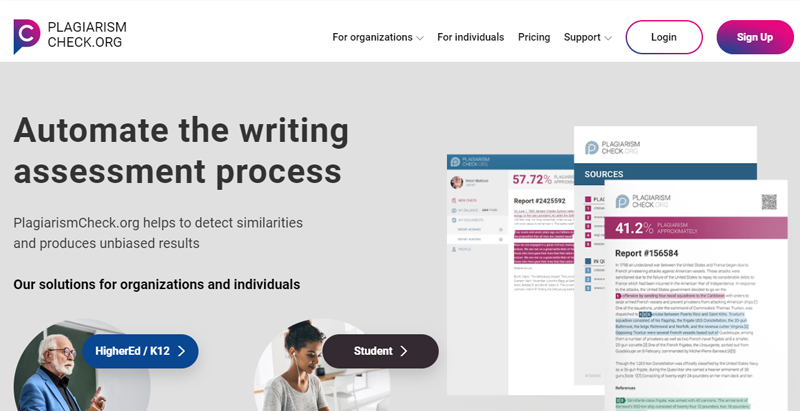
PlagiarismCheck.org is built for teachers, schools and organisations. It detects copied and paraphrased text, offers AI-content detection and integrates with learning platforms, with reports that are easy to share.
3. Quetext
Quetext uses contextual analysis to find exact matches and closely paraphrased text, with clear colour-coded reports and citation help. A limited free version is available; paid plans unlock longer documents and deeper searches.
How to Check Your Website for Duplicate Content
- Check your own site first. Run your domain through Siteliner to find pages that repeat each other.
- Search for copies of your best pages. Paste their URLs into Copyscape or PlagSpotter.
- Try a quick Google search. Copy a unique sentence from your article and search for it in quotation marks.
- Check new content before you publish. Run articles from writers through a plagiarism checker such as Duplichecker or Grammarly.
- Review Google Search Console. The Pages report shows URLs Google treats as duplicates and which version it chose as canonical.
How to Fix Duplicate Content
- Use canonical tags to tell Google which version of a page is the main one.
- Add 301 redirects from duplicate URLs to the main page, for example from non-www to www or from HTTP to HTTPS.
- Rewrite similar pages such as product or location pages so each one is genuinely unique.
- Use noindex on pages that must exist but shouldn’t appear in search, such as print versions or internal search results.
- Ask copiers to remove your content, and file a DMCA takedown request if they refuse.
Our SEO site audit guide covers how to find and fix duplicate content along with other technical issues.
Protecting Your Content with DMCA
You can add a free DMCA protection badge to your website to discourage people from copying your content. If someone does copy it, a registered badge makes it easier to send takedown notices and get the copied content removed from websites and search results.
Frequently Asked Questions
What is the best free duplicate content checker?
For checking a web page, Copyscape’s free URL search is a reliable starting point. To find duplicates inside your own site, use Siteliner. For checking pasted text, Duplichecker and SmallSEOTools are free and easy to use.
How do I check if my content is duplicated?
Paste your page URL into Copyscape or PlagSpotter, or paste the text into a plagiarism checker such as Duplichecker. You can also search Google for a unique sentence from your article in quotation marks.
Does Google penalise duplicate content?
Usually not. Google filters duplicate pages and shows only one version, which can stop your preferred page from ranking. Deliberately copying content from other websites, however, can lead to penalties.
How much duplicate content is acceptable?
Short quotes with credit, common phrases and legal text are normal. Aim for every page to have mostly unique, original content, and use canonical tags where some duplication can’t be avoided.
Conclusion
Duplicate content checkers make it easy to protect your work and keep your website healthy. Use Siteliner to fix duplicates within your own site, Copyscape or PlagSpotter to find copies elsewhere, and a plagiarism checker to make sure every new article is original before it goes live.
Need original, SEO-friendly content written for you? Cyber Rafting’s content writing team creates unique, well-researched content for websites and blogs.